

Game Accessibility Software
The following list details some of the software aids that can help players in their gaming. For instance, where a game is too fast or the controls too awkward, the following may help.
Please feel free to e-mail for help on anything that is unclear or to share new accessibility utiltiies.
Some of the latest Game Accessibility Software news can be found at the OneSwitch blog.
Anti Hand Tremor Software

SteadyMouse.com - offer free software and support for PC Windows users.
Steady Hamster - a smaller-scale project written for PC Linux users.
Cheats

Datel's Action Replay, CodeJunkies, Game FAQs, Games Radar, You Tube, Game Winners. MAME and other emulators allow for cheats too.
See also A.I. Computer Vision.
Controller Assistants

Reaching more controls from less.
OneSwitch Pulse and 4 Noah. See below, and especially SHIFT features in the likes of JoyToKey and the XAC config app.
Controller Emulation

Software that enables the emulation of mouse, keyboard and/or joystick devices. See also the Titan Two KMG Capture to convert to console gaming.
PC: Joystick to Keys/Mouse: JoyToKey, One Switch Pulse, Antimicro, Auto Hot Key (scripting), Joystick to Mouse, Keysticks, Joystick Gremlin, REWASD, UCR (using vJoy), New UCR, Xpadder. See BetterJoy for converting one or two Nintendo Switch Joycons for PC use. May need Joy ID Swapper.
PC: Joy ID Swapper can help move joystick ID numbers. Block games from seeing a virtual joystick: See HID Hide, the older HIDGuardian and also WhiteKnight.
Remote Control a PC for gaming: Parsec: Remote Control via a different computer. Ideal for two-player games on-line or for helping another player. Use with HidHide (by Nefarious) to hide virtual joysticks from specific software.
PC Pointer to Keys/Mouse: Alt-Controller - Mouse (and screen location) to key-presses. Play keyboard games with a pointer instead. Overjoyed, mouse to joystick. Also vintage, Shodan Virtual Gamepad and Track-Mapper - Enables old NP head-trackers to play keyboard controlled games.
Android: Octopus: Touch emulation using gamepads or keyboards. See also Mouse4All Switch access. Jabberwocky Android face control.
Apple Mac: USB Overdrive - Shareware version of JoyToKey for Apple Macintosh computers. See also Controlly for wireless Mac control and remapping. See also SteerMouse, Better Touch Tool and Karabiner-Elements (advanced users).
Linux: QJoyPad - joypad to key strokes and mouse actions.
Dwell Clickers
Hover to click dwell clickers are useful for those who can move a pointer, but can't click.
See Abili Dwell, this archived thread and Dropbox folder.
Kinect Switches

OAK Air Switches - map out areas in air to turn into switches.
Kinesic Mouse - Enables head movements and facial expressions to be mapped to mouse, keyboard and joystick functions.
MIDI control
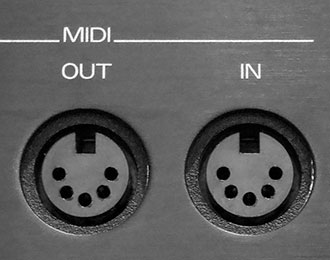
Midikey2Key convert MIDI musical controllers (keyboards, foot pedals, drum machines etc.) to key strokes.
One Switch Computer Access

One Switch Pulse free basic PC access. Console access possible.
DialoQ-Switch, The Grid 3, Tobii Dynovox Communicator and Mind Express for Windows.
One Switch Mouse from WebbIE. Clickscan and Switchwedge from Jamjolu. MorseWriter from Will Wade.
Apple has excellent access built-in. Android devices tend to have basic in-built switch access, and the "Switch Access" app. See also Possum Qwayo.
On Screen Keyboards

Dasher, Click-N-Type (mirror), Hot Virtual Keyboard, and various On Screen Keyboards here.
AutoHotKey and Special K: keys for camera and unbind mouse pointer for OSK use.
Screen Magnifiers

Windows 10 and 11 have an excellent magnifier built-in. Some game consoles have a similar Zoom feature. Consider a physical Fresnel lens.
Speech

Text to Speech: NVDA and Jaws. Image to Speech: Be My Eyes (A.I. option).
Speech Input: Voice Attack and SpecialEffect gameaccess.info. Convert to console use with a Titan Two KMG Capture.
Speed Control

Many games are simply too fast for some to play.
Windows PCs are possible to slow down for some games which can make things more manageable.
Cheat Engine can slow some games down. N.B. Use this link for a safer direct download. Cheat Engine seems to point to infected versions.
CPU Killer - Can slow your computer down up to 99%. If playing games through an emulator, you will need to switch off any frame-skipping. PC Shareware.
Mo'Slo - Very similar to CPU Killer. Can help to run DOS software on newer Windows machines at the correct speed.
Nidd Valley Slomo - for 8-bit retro speed control. Made for machines including the Acorn BBC Micro, Electron, Commodore 64 and ZX Spectrum. Turn a dial to slow the machine down.
Webcam (PC)

Webcam switches: Eye Commander (blink switch), Switch Viacam and Enable Viacam.
Webcam mouse control: SensePilot, KinesicMouse LIVE, CameraMouse (mirror) and GameFace.
Related Accessible Gaming Organisations
Ability Net - is a UK charity helping disabled adults and children use computers and the internet by adapting and adjusting their technology.
SpecialEffect GameAccess.info - lots of information on game accessibility solutions.