

Listening to Music with Switches

Switch Accessible Music: Performance
The list below is a small sample of the ways that people can use accessibility switches to control the music that they listen to. Some include visualisers, such as iTunes and the older Windows Media Player, which can boost sensory and cause and effect experiences.
Joy To Key (PC)

JoyToKey (PC - Free)
Use game controllers to convert keyboard short-cuts to button presses.
This includes XAC, HORI Flex and Sony Access Controllers.

Radio Garden (on-line)

Radio Garden (on-line)
Point and click.
In the UK, UK only, unless you have a VPN.
Spotify (PC/Mac)

Spotify (PC/Mac)
SPACE = Play/Pause.
CTRL+LEFT/RIGHT = Skip track.
CTRL+S = Shuffle track.
Windows Media Player (PC)
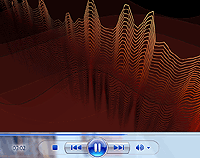
Windows Media Player (PC)
CTRL+P = Play/Pause.
CTRL+F/B = Skip tracks.
CTRL+H = Randomise.
CTRL+T = Repeat
Visualisations via right-click mouse menu.
YouTube (on-line)

YouTube (on-line)
SPACE = Play/Pause.
SHIFT+N/P = Skip video.
F = Fullscreen.
C = Captions/subtitles.
More controls here.
Switch Mixer Lite (PC)

Switch Mixer Lite (PC)
Simple .wav sample player. "Q" cycles the playback mode. "1" plays the sample. "0" limits/unlimits sample play back. Try it!
TarHeel Player / Music Player (PC)

TarHeel Player / Music Player (PC - Free)
Play short bursts of music from YouTube etc.
Mirror and info for Music Player via Will Wade.
Vault: Joy Music (PC)

Joy Music (PC)
12 track sample loop player for mouse or 1 or 2 switches. 30 day trial.
Licensing may be possible via PeO Hedvall.
Switch Music: The music above was created by groups of one and two-switch musicians between 1999 and 2001. They used standard accessibility switches on a Sony Playstation running "Fluid" alongside a dice music system.